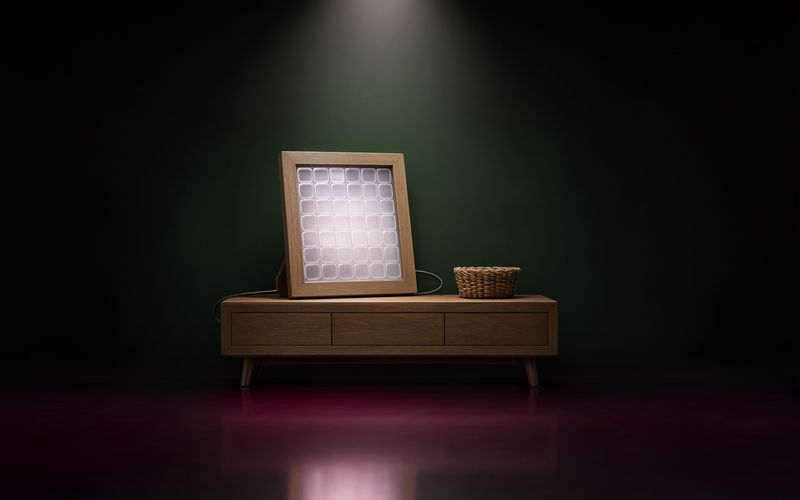
Second article in the series on Maison, my dashboard on Home Assistant. This one is the story of a single evening: the one when a digital photo frame, bought to receive photos from my family and friends, became the hallway screen.
Key takeaways
- The digital photo frames sold under the Frameo brand are cheap Android tablets, with a decent screen and, often, debugging access already open on the network. Wes Bos has documented how to take them over in the photo-frame-dashboard repository, with a minimal Android kiosk that displays a web page in full screen.
- In my case, no unlocking step was needed: the frame was already accepting ADB connections (Android Debug Bridge, Android's remote debugging access). Installing the kiosk, setting it as the home screen and correcting the display density were enough for Maison to show up in true 1920 × 1080.
- The rest of the evening went into adapting the application to this format, disabling the Frameo app, installing a television app, and adding a music screen connected to Music Assistant because the frame has no Bluetooth.
- Everything was done from my PC, remotely, in conversation with Claude Code, with a screenshot of the frame after every change.
1. A frame that had stopped being useful
The frame in question is a Frameo, bought some time ago to receive the photos my family and friends send me. It showed its photos on the console table in the hallway, and hardly anyone was sending it any more. Meanwhile, the hallway was precisely the place where a Maison screen was missing: it's where we head out, where we check the metro, the umbrella and the homework, and the small square screen already sitting there was showing its limits.
At the end of October, I came across Wes Bos's project. The idea is simple: buy a 50-dollar frame, point an agent at the repository, and let it get on with it. The repository gathers the notes of dozens of people who have taken over frames from different brands, with the unlocking steps where they are needed, and a small Android kiosk built without Gradle that displays a web page in full screen. More than a hundred contributions document interfaces of all kinds, from the family dashboard to the chess display.
2. Finding the frame on the network
First question, put to the agent from my PC: can you see the frame on the network? Two Android devices had the ADB debugging port open. The right one was identified by elimination, then the ADB tools were installed on the PC and the connection established, after accepting the authorisation prompt that appears on the frame's screen.
The frame introduced itself: an AVE V5 Max model, Rockchip RK3326 chip, Android 9, 1920 × 1080 screen, 2 GB of memory, 32-bit processor. Network debugging access was already active straight out of the factory. That means none of the delicate steps in Wes Bos's repository, backing up the flash memory, root access, replacing the system, was needed. It is both convenient and slightly worrying: any device on the network can do the same. I come back to this further down.
One precaution first: the frame uses a random network address that can change at every restart. Reserving a fixed address for it in the router saves you from hunting for it each time.
3. The kiosk, with two adaptations
The repository's kiosk is called Home HQ. It is an Android application reduced to a full-screen web view, which keeps retrying as long as the Wi-Fi is not connected, and which opens a menu when you hold two fingers on the screen for a second and a half: back to the launcher, Android settings, reload. It had to be compiled with two changes.
The first concerns encryption. My Home Assistant is only reachable over HTTPS, with a certificate signed by a small local certificate authority. An Android web view does not know this authority and rejects the page. So the root certificate was built into the kiosk, which trusts it for connections to the box, and to the box alone.
The second is trivial: the address of Maison as the home page. The application opened on the Home Assistant login screen. I logged in once, on the frame, with my account; it was the only time credentials were typed that evening, and I was the one who typed them. The session is kept, and the frame reopens the dashboard directly.
Home HQ was then set as the default home application. On startup, the frame opens Maison. The documentation warns that restarting too quickly after this setting can undo it on some models; waiting a minute settles the matter.
4. The detail that changes everything: density
First display, first disappointment: Maison appeared as it would on a small tablet, large type, mobile layout. Yet the screen really was 1920 × 1080 at 60 Hz. The explanation lies in the density declared by Android: 240 dots per inch, a factor of 1.5. Web pages therefore see a 1280 × 720 screen enlarged one and a half times.
A single ADB command is enough to set the density to 160, which is in fact the value the repository recommends. Maison then sees a true 1920 × 1080, with text about a third smaller, perfectly legible from a metre away. The setting applies to the whole of Android, and is undone with one command.
5. Adapting Maison to the TV format
From that point on, the frame was displaying the TV version of Maison, the one I had made for the living-room television a few days earlier: a single page, a focus visible from a distance, the evening column. But two flaws showed up on the screenshot of the frame, which the agent takes after every change.
First, the last row of tiles was stuck to the bottom of the screen and the "Tonight" column was overflowing. The TV mode grid was inheriting a setting from the tablet version that lets each block take the height of its content rather than that of the screen. The column was 546 pixels tall for 310 available. The fix comes down to a few stylesheet rules: each area is stretched to the height of its row, the floor plan gives up a little room to the evening column, and the calendar below remains reachable by scrolling that column with a finger. The result was measured on the frame: 854 pixels of content for 854 available.
Then, a perfectionist's detail: the bottom of the "Tonight" card was not aligned with that of the tiles on the right. One more rule, and the card stops to the pixel. These changes were deployed to Home Assistant as usual, and the frame loaded them on its own thanks to the versioning mechanism described in the previous article.
Before fixing anything, incidentally, the agent refused to deploy from the repository: the live version was more recent than the local branch, and a deployment would have overwritten work. It compiled the right branch, compared it with the live build, and waited for me to confirm that the repository had been updated. That is exactly the kind of caution you expect from a colleague.
6. Disabling Frameo, and what you lose
The Frameo application was still running in the background. Measurements taken on the frame: about 130 MB of memory and some fifteen scheduled tasks that wake it up to synchronise photos, but almost nothing on the processor side. The real consumption came from Maison itself, between half a core and three quarters of a core continuously, because of the animations, the scrolling ticker and the refreshes.
I had Frameo disabled all the same. The application remains installed, inactive after a restart, and can be re-enabled with one command. The trade-off is that the frame no longer receives photos from my family and friends. A slideshow built into Maison, displayed when nobody is touching the screen, is on the to-do list to give it that function back.
7. TV in the hallway
Since the frame is an Android tablet, why not watch television on it while making dinner? It has neither Google Play nor Google services: every application is installed by hand, from an APK file (the installation format for Android applications) in a 32-bit version, downloaded from somewhere other than the official store. It is a third-party source, and it is up to each person to decide whether to trust it; for a television app from my internet provider, I accepted.
The application works: channels play, content protection licence included. What remained was switching from one application to another with no keyboard and no home button. Two additions: a "TV" button in Maison's top bar, which only appears on the frame, and a floating bar displayed as soon as you leave Maison, with the volume and a button to return to the dashboard. You move it by dragging it.
8. No Bluetooth, so Music Assistant
Last wish of the evening: sending music to the hallway speakers. Android declares Bluetooth, but the frame's radio module is a plain Wi-Fi chip and the Bluetooth system application does not exist. There is no way to enable it, and a USB dongle would change nothing.
The solution came out of a drawer: a Chromecast Audio plugged into the speakers' auxiliary input, configured in a few minutes, detected by Home Assistant straight away. And since Music Assistant was already running on the box, Maison gained a Music screen: the current player with cover art and progress, the controls, the volume, the list of players in the home, and a library with favourites, playlists, radio stations and search. You pick the hallway speakers, you start a radio station, and the frame serves only as a remote control.
9. Brightness, and the screen we thought was off
The kiosk now exposes to the page the same brightness control function as a commercial kiosk browser. Maison uses it: 200 out of 255 during the day, 70 in night mode, 20 after a minute without touch, with the dark overlay already present on the tablet. The first touch wakes the screen without triggering an action.
This is where the evening's only real non-problem occurred. After switching the frame back on with its button, the screen stayed black, even though touches were indeed acting on the lamps. In reality, the screen was not off: it was at 20 out of 255 under the dark veil, which on this panel looks black, and the kiosk was not telling the page that the screen had been switched off in the meantime. Two fixes: the kiosk pauses the page when the screen turns off or another application comes to the front, and Maison wakes up by itself when the page becomes visible again. And one lesson: a screenshot reads the image sent to the panel, not its backlight. To know whether a screen is on, you have to read the brightness value, not look at the screenshot.
10. What this says about the security of these devices
I have kept for last the point that gave me the most to think about. This frame accepted debugging connections from any device on the network, without anyone ever having asked for it. That is what made the evening easy. It is also an open door on a device that has a camera, a microphone and a permanent connection, sitting in the hallway of a home.
Three practical consequences. I no longer leave such a device on the same network as everything else without having looked at it. The router audit, done from Maison's network screen, has gone from "good idea" to "essential". And I understand better why Wes Bos's repository insists on one rule: ask for the owner's consent before every write, and verify every operation by reading it back rather than trusting the success message. These are the same rules I give my agents for everything else.
What you need to do the same thing
- An Android frame with ADB accessible, or one of the repository's procedures for opening it up. Check the exact model in the settings before following a page: frames sold under the same name have different boards.
- The ADB tools on a PC, and a fixed address for the frame in the router.
- The repository's kiosk, compiled with the address of your page and, if your Home Assistant runs on local HTTPS, your root certificate.
- A web page designed for the real size of the screen, after setting the density to 160.
- A little time for the finishing touches: brightness, wake-up, and what you want to do with the original application.
The next article in the series will leave the hallway for the kitchen: the groceries, and the delivery retailer connected to Home Assistant.
Sources
- photo-frame-dashboard — github.com
Take this article to an AI
Pick a request, then the assistant. The article is passed along with the question.