First article in a series on "Maison", the home dashboard, or Home Assistant dashboard, that has been running at my place since late September. This one presents the whole picture: the starting point, the fundamental choices, what the home can do today and what this month taught me. The following articles will take each feature one by one.
Key takeaways
- Maison is a web application served by Home Assistant itself, displayed on a wall-mounted tablet and on a small square screen in the hallway. Nothing leaves the home: no third-party service hosts anything.
- It was written in one month by talking with Claude Code, over evenings and weekends: a little over 80 commits between 4 and 19 October, after two weeks of prototyping, and around 24,000 lines of TypeScript in the end.
- Three choices shape everything else: Home Assistant as the only gateway to the outside world (groceries, transport, parcels, school, news), local To-do lists as the database shared between screens, and screens that update themselves.
- The home now does far more than lights and heating: groceries, homework, energy, transport, morning summaries. This article sets the frame; each feature will have its own.
- What the agent never does: enter my credentials, confirm a basket, touch a security setting. Everything else, it did, and fast.
1. The starting point: home automation for tinkerers
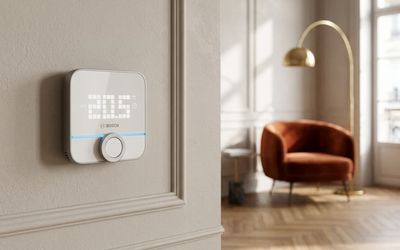
My home has been running on Home Assistant for years, on a Home Assistant Green box. Philips Hue lamps everywhere, a Zigbee2MQTT network, Bosch Home Connect appliances, two Bosch Twinguards that detect smoke and measure air quality, a Linky meter read by an add-on, a Freebox, and a Bosch thermostat whose integration into Home Assistant I have already written about. All of it orchestrated by a good pile of automations.
The problem was not technical. The problem was that all of this was usable only by me, and only when I had my phone in my hand. Home Assistant dashboards are designed for the person who builds them: they talk about entities, sensors, states. Home automation remained a living-room hobby, while the real questions of daily life were settled on the phone, one app at a time: what are we eating, do we need an umbrella, what time is the next metro, what is there to do this evening?
The idea behind Maison fitted in one sentence: a screen you use without knowing what an entity is. On the wall, in the kitchen, and in the hallway. With rooms, not sensors. With lists, not YAML files.
2. The fundamental choices
An application served by Home Assistant
Maison is a conventional web application, written in ReactJS and TypeScript with Vite. It is hosted nowhere other than in Home Assistant's www folder, which serves it as a static file. The screens open it like an installed app, in full screen, and it talks to Home Assistant over the same WebSocket connection as the official interface.
This choice has a consequence I measured in the very first week: Home Assistant serves these files with a one-month cache. So the tablets kept the old version after every deployment. The solution takes a few lines: each build produces a small version file, the application re-reads it at startup, when the screen wakes up and every ten minutes, and reloads once when it changes. Since then, deploying means copying a folder. The screens follow on their own.
Home Assistant as the only door to the outside world
This is the principle that shaped the project the most. Maison needs data that does not live in the home: the catalogue and orders from La Belle Vie, the timetables from Île-de-France Mobilités, parcel tracking at 17TRACK, homework on the ONE digital learning environment, news feeds, school holidays. Rather than letting the application call these services from the browser, with exposed keys and cross-origin (CORS) problems every time, everything goes through Home Assistant.
The mechanism is always the same: a REST command declared on the Home Assistant side, with the key stored in its secrets, wrapped in a script that returns the response. The application calls the script and gets the result. The keys never leave the box, the application knows no secret, and if I change retailer or provider, I change a REST command, not the application.
Transport gives the measure of it. Île-de-France Mobilités transport timetables are accessible through the PRIM platform, with a personal key and a daily quota. The home-screen tile queries the status of the lines every five minutes, the detailed screen queries the departures every minute for as long as it is open. The quota holds, and the day the API changes, I modify one command.
The same pattern is used for parcel tracking, school holidays, RSS feeds, calls to the AI and almost all of the "outside" features. Groceries follow the same principle, with a more elaborate relay that I will describe in the article devoted to them. The only exception is the network: the Freebox API requires a signature that REST commands cannot produce, so a small Python script runs on the box, called by Home Assistant, and reuses the token of the official Freebox integration.
I learned one rule the hard way: a REST command that references a missing secret prevents all the others from reloading. One evening, a single missing secret silenced transport, parcels and groceries all at once. Since then, the order is strict: the secret first, the command second.
To-do lists as a shared database
Two screens, soon three, need to see the same thing: the shopping list, the week's menu, the birthdays to remember, the jobs to do in the flat, the notes left from one screen to another. I had no desire whatsoever to add a database.
Home Assistant offers local To-do lists, synchronised in real time across all connected clients. Maison repurposes them as tables: each item is a record, its title is the label, its description contains a small piece of JSON with the rest. The shopping list carries the price and barcode of each product, the menu carries the meal and the date, the jobs carry the budget and the status. And any new list created in Home Assistant, for example from the mobile app or by voice, appears on the screens straight away without touching the code.
The list of jobs in the flat is the best example. It already existed, in a note-taking tool, in the state I had left it in at the end of March. Now a local To-do list, it can be edited from the tablet, from the Home Assistant mobile app in its simple form, and by the AI when I ask it to add a job. No database, no API, no account.
A presentation configuration, not an inventory
Last choice, less visible: the application contains no list of devices. The rooms, lamps, thermostats and sensors come from Home Assistant's registries. Adding a lamp to a room on the Home Assistant side is enough for it to appear on the screen. Maison's configuration file contains only presentation settings: the order of the rooms, the times of the summaries, the transport lines I care about.
3. What the home does today
The tablet's home screen shows the rooms first, then tiles grouped by family of uses. I will not go through them here: the following articles will come back to them. One line each:
- The rooms: lights, scenes, temperature, heating and appliances in each room, with a night mode that follows the sun.
- Kitchen and groceries: a shared shopping list with a barcode scanner, a price comparison across three retailers, the week's menu and recipes.
- Family: calendar, homework, birthdays to remember, and notes left from one screen to another.
- The home itself: energy at its real cost, network, device health, leak detectors, maintenance log and jobs.
- Outside: transport, parcels, bins, school holidays and news.
The morning and evening summaries
This is the feature I use the most. Every weekday morning, the screen displays a summary written by Claude from what Home Assistant knows: the weather and whether an umbrella is needed, the next metros, the day's calendar, the homework, the birthdays, the parcels expected. In the evening, a second summary prepares the next day.
The same application is also displayed on the living-room television, driven by the remote control, and, since late October, on a digital photo frame diverted from its purpose in the hallway. That hack has its own article.
4. What this month taught me about working with an agent
All the code was written by talking with Claude Code, most often in the evening. I describe what I want to see on the screen, the agent reads Home Assistant's registries, writes the component, deploys it, checks the rendering with a screenshot, and fixes it. A few observations, following on from what I wrote about agents in the team.
The pace changes the nature of decisions. When a feature costs an evening instead of a month, you stop prioritising and you try. Several of Maison's screens would never have passed the "is it worth it" filter; they exist because trying them cost less than debating them. Some have been removed since, and that is perfectly fine.
Visual verification is non-negotiable. The agent has access to a preview of the application with a simulated connection, outside Home Assistant, and to screenshots of the real screens. Without that, a tile that overflows or a text cut off on the square screen would go unnoticed until the next morning. The most costly bugs of this month were all visible to the naked eye and invisible in the code.
The rules get written after the first mistake. The project's instructions file filled up as the incidents went by: never write a REST command before the secret exists, never deploy from the repository without checking that the live version is not more recent, resynchronise the copy of the YAML files after every change on the box. Each line is a lost evening that will not be lost again.
There are things you do not hand over. The agent enters no credentials, confirms no basket, adds no add-on repository and changes no security setting. Those actions are done by me, in the interfaces designed for them. It is not distrust of the tool, it is the same rule of AI agent governance that I argue for in companies: an agent's mandate stops where an irreversible consequence or a secret begins.
The tooling matters as much as the model. A good part of the comfort comes from connectors: the Home Assistant MCP server to read entities and call services, the La Belle Vie one for groceries, SSH access to the box to deploy. Without them, Claude would be writing code blind. With them, it works on the real home.
5. What remains, and why this is not a product
A list remains. Home and away modes unified with the heating, alerts on consumption spikes, a photo slideshow when the hallway screen is not in use, plant care. There also remain weaknesses I accept: the Carrefour price comparison goes through a relay on my PC, which therefore has to be switched on; the ONE integration relies on a fork that I maintain until my changes are taken upstream.
And no, Maison will not become a product. The application is tailored to my home: my rooms, my retailers, my metro lines, my appliances. That is precisely what makes it useful and what makes it impossible to hand on. What I can hand on are the mechanisms, and that is the purpose of what comes next.
What comes next in the series
The next articles will take each feature separately, with the code and the pitfalls:
- The children's homework: reading the ONE digital learning environment from Home Assistant, and what had to be added to the integration to get a week of homework per homework diary.
- Groceries: La Belle Vie plugged into Home Assistant through an MCP server hosted on the box, the price comparison with Carrefour and Chronodrive, the menus and the nutrition.
- Controlling the heating: replacing a scheduler that disappeared with native automations, the working-from-home, guests and sick-child modes, and the page that shows the day's setpoints.
- The W100: the Aqara W100 temperature and humidity panels, a converter to extend for Zigbee2MQTT, and the weather sent to the panels without saturating the network.
- Completing the Bosch thermostat's sensor: the logical follow-up to my article on the BTH-RM, with a remote probe and what happens when the radio drops out.
- The repurposed photo frame: how a Frameo frame costing around fifty euros became the hallway screen, following the work of Wes Bos.
And probably others, depending on what the home asks for.
Take this article to an AI
Pick a request, then the assistant. The article is passed along with the question.